A tool for professionals
A strong password,
A strong password,
easy to read out to your client.
A few everyday words and a number. No “zero or O?”, no symbols to spell out over the phone.
Your password
Say:
Created in your browser. Sent nowhere, stored nowhere.
- Created on your device
- Nothing is stored
- English and French
The message
What you send your client, already written.
Type their name, pick text or email, copy. The password always travels separately from the document.
Good habits
- One password per client, kept all year.
- The PDF by email, the password by text or phone.
- Never in the same email as the document, nor in the subject line.
- Not the client’s name or just the year: too easy to guess.
The method
Three habits, fewer calls from lost clients.
One password per client
Kept all year: nothing new to remember each time.
Two separate channels
The PDF by email, the password by text or phone, never together.
A copy at the office
Note it in your client spreadsheet to find it next time.
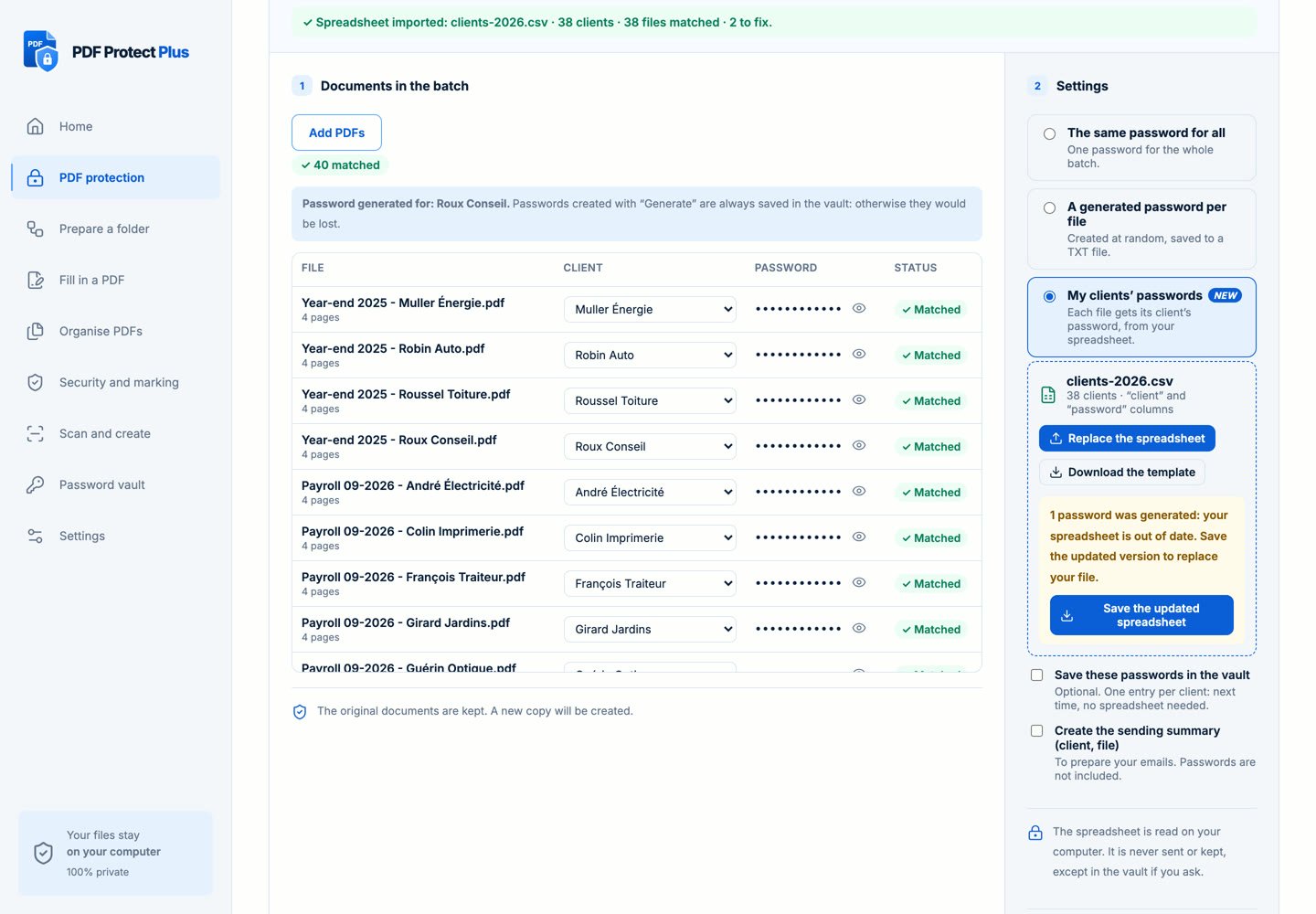
And for 40 clients at once?
PDF Protect Plus protects the whole batch on your computer, each file with its client’s password.
- Your client spreadsheet (CSV) matches each file to its password
- Files stay on your computer
- Originals stay untouched